Indoor 3D scanning with PIX4Dcatch
Mapping large indoor spaces with a smartphone can be challenging. As you walk and scan, errors in position and orientation build up over time, a phenomenon known as "drift." This drift can accumulate and cause the final model to be inaccurate, with warped or duplicated surfaces that make the data unusable for professional purposes. This is a constraint for anyone trying to capture large or complex indoor environments with a mobile device.
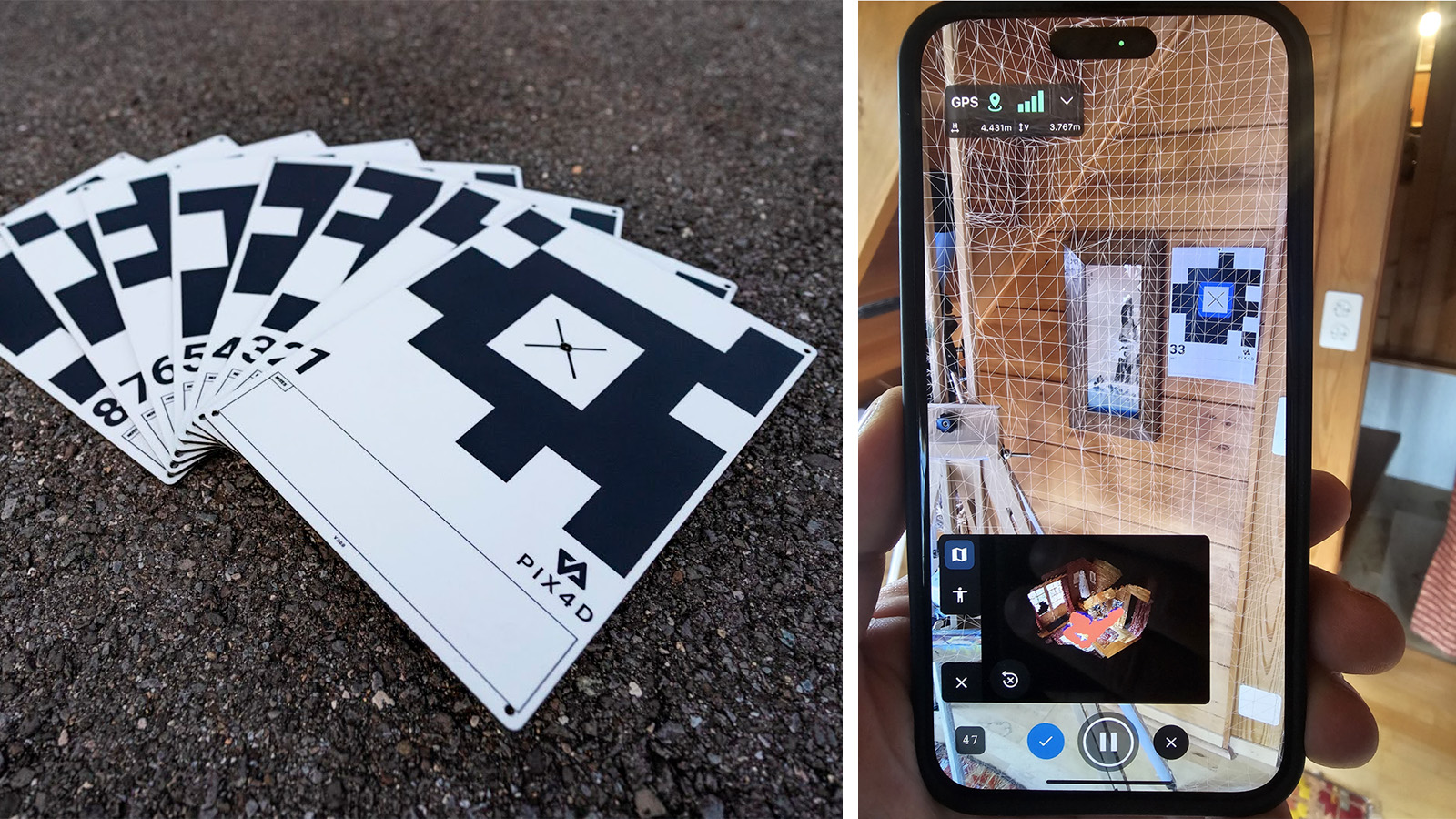
We tested an iPhone/PIX4Dcatch workflow, using the GeoFusion algorithm and Autotags to guarantee the necessary accuracy. Autotags serve as an effective drift correction method. When "Tag Detection" is enabled, PIX4Dcatch automatically recognizes the tags during acquisition and uses them with tracking information to correct drift immediately upon completion. After data acquisition, the GeoFusion algorithm plays a crucial role: it uses all the data to figure out the exact location and angle of the camera for every picture, ensuring a highly accurate result.
This combination allows users to capture accurate data in real-time, even in large spaces where traditional methods fail.
The article is based on a research paper by Christoph Strecha, Martin Rehak, and Davide Cucci.
PIX4Dcatch's GeoFusion algorithm
First, we performed a comparative test to ascertain the effect of the GeoFusion algorithm, specifically measuring performance with and without Autotags (A4 / US Letter). We did this by walking in a loop indoors with PIX4Dcatch on two phones, with identical settings, except for one having “Tag Detection” enabled and the other not. The latter relied on the app's inbuilt “minimalistic mode”, using live video feed, phone sensors such as GNSS and compass — a technology similar to the well-known Simultaneous Localization and Mapping (SLAM).
After the walk, we compared the results to see how accurately our phones' cameras had "seen" the Autotags. The "re-projection error" is a measurement of this accuracy—the lower the number, the more accurate the camera's position.
The results showed a huge difference. The phone using Tag Detection had a much lower average error (7 pixels) compared to the phone without Tag Detection enabled (41 pixels). This means the GeoFusion method was much better at keeping track of the camera's position and significantly reduced the problem of "drift.". This was especially clear at the beginning of the test, where drift is usually the worst.
Merging multiple scans for large spaces
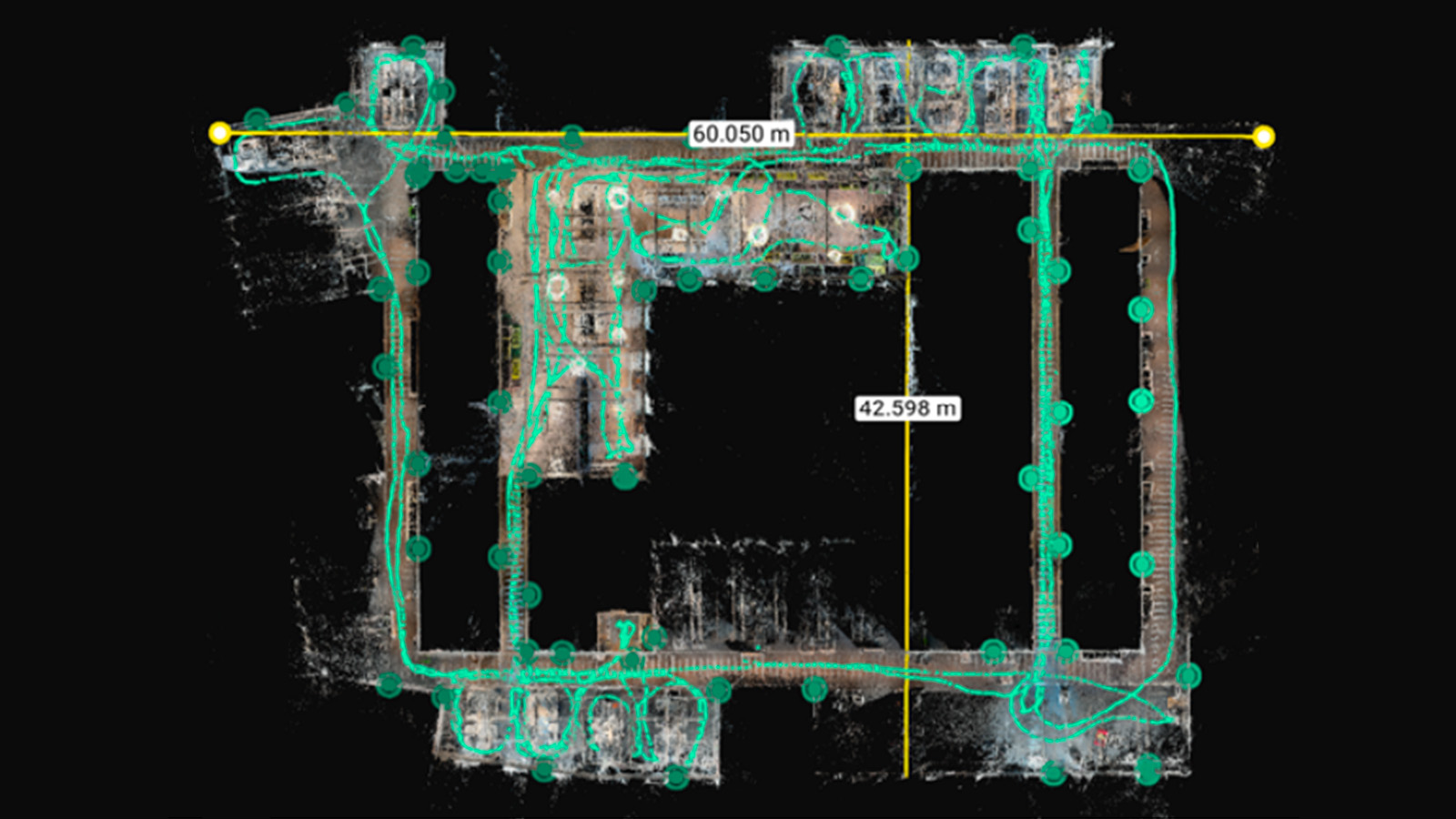
Using this method, we successfully mapped a 2000 m² office building. For scenarios like this, you can capture multiple individual scans and merge them later. Thanks to the Autotags, we were able to ensure alignment on the merged datasets.
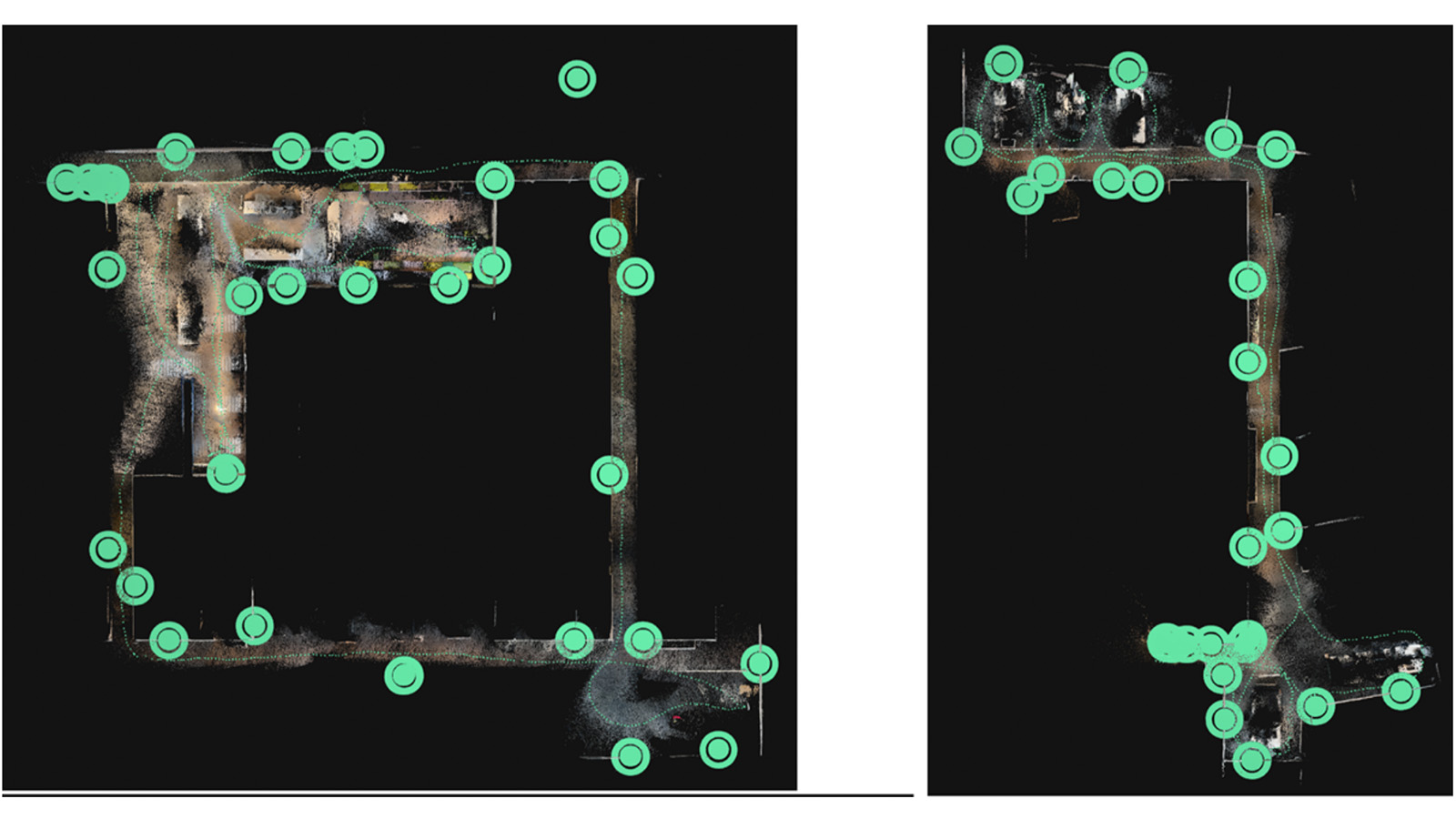
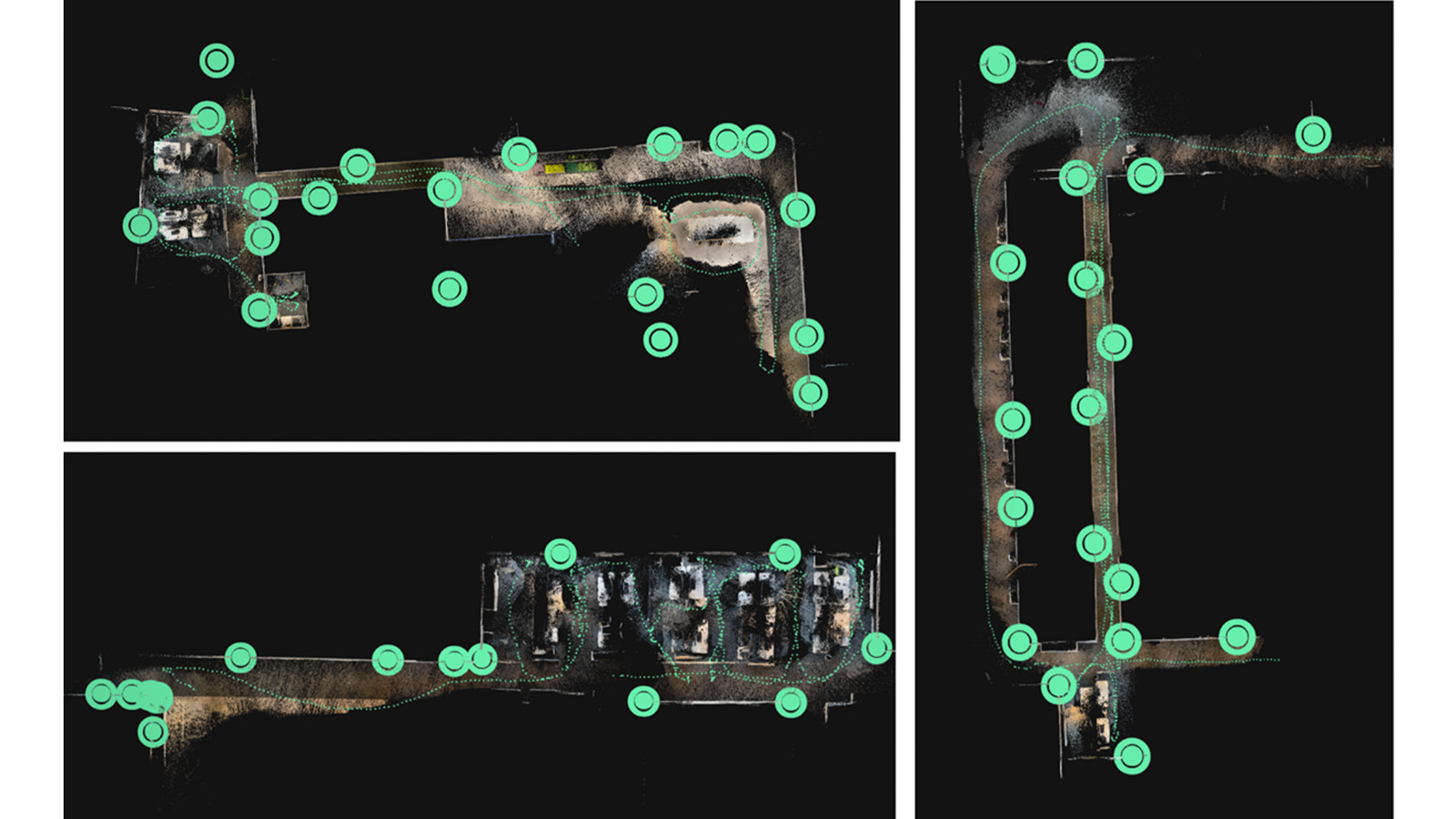
Since indoor environments block the GNSS signal, each mobile scan is initially in its own coordinate system. To guarantee a single, accurate result, we strategically place fixed reference targets (Autotags) across the area. These shared reference points enable PIX4Dmatic to automatically align and stitch multiple projects together, successfully merging all five of our independent captures into one unified, massive 3D model.
After a final check and optimization of the whole merged project, the result was a detailed 3D digital reconstruction of the 60 × 42 m office space, created by combining the data from about 5,000 photos and LiDAR scans taken with an iPhone.
Interior and exterior: a unified 3D model
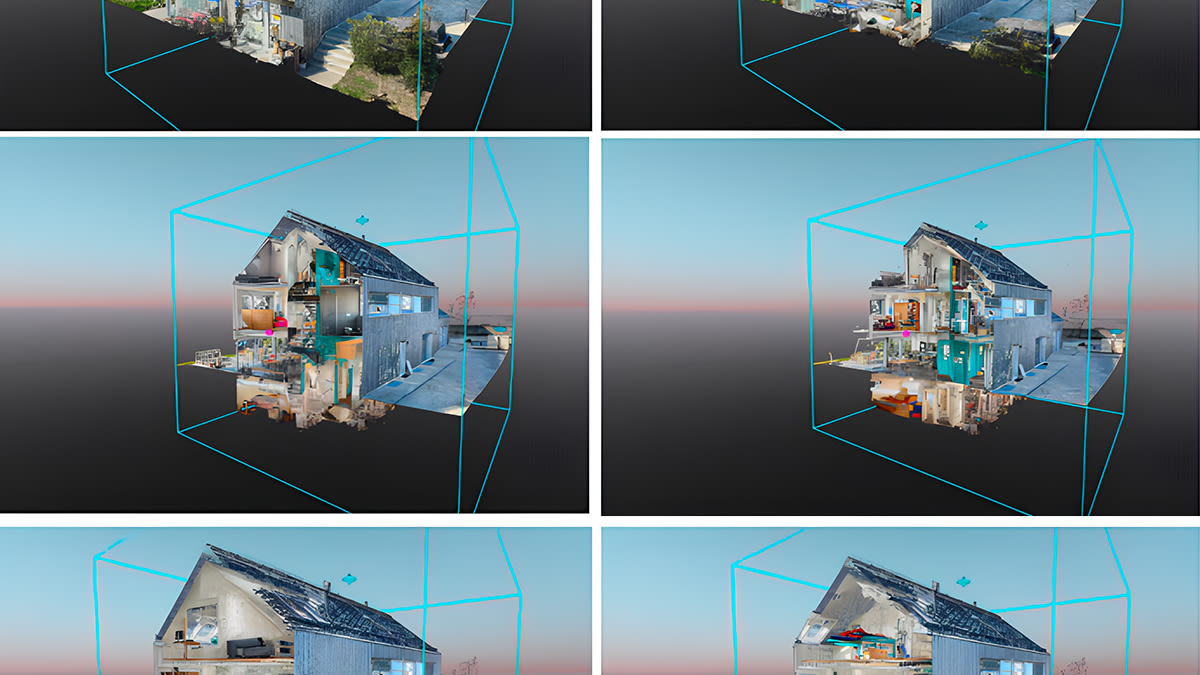
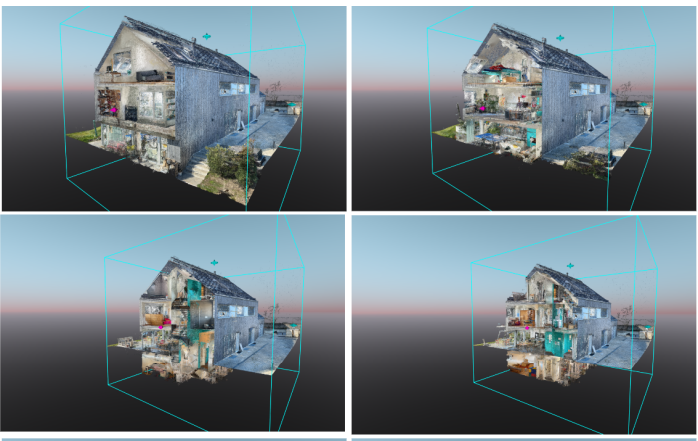
Our second project involved a scan of a family house, where we combined data from both the exterior and various floors. The whole model was created from several PIX4Dcatch projects, each processed individually before being merged in PIX4Dmatic. The final result is a single 3D model of the entire house, demonstrating the ability to unify both indoor and outdoor data from a multi-level structure using PIX4Dcatch and PIX4Dmatic. The final point cloud is shown in various cutting planes below.
Indoor mapping workflow with Pix4D
Our workflow is designed to be simple and accessible for everyone. Here’s how it works:
- Place the Autotags: First, you strategically place the Autotags in the area you want to scan; their position does not need to be known in advance.
- Scan the area: Use PIX4Dcatch to walk around the area, capturing images and LiDAR data. The software automatically detects the Autotags in real-time.
- Let the software do the work: After you finish the data acquisition, the GeoFusion algorithm runs on the phone in seconds, correcting for drift and optimizing the camera positions.
- Merge the scans (for large projects): For very large projects, you can combine multiple datasets together to create a full 3D model of the entire space.
Indoor reality capture: affordable workflow for challenging environments
This workflow is a significant advancement for anyone who needs to capture accurate 3D data of indoor spaces. For a long time, professionals had to choose between two options: expensive, specialized laser scanners that provide high accuracy, or simple mobile apps that are fast and cheap but suffer from major accuracy issues.
Our solution changes that. It bridges the gap by providing a professional-grade tool that uses a device you already have—your smartphone. Ultimately, this workflow empowers you to get high-quality, actionable 3D data from challenging environments quickly and affordably.